
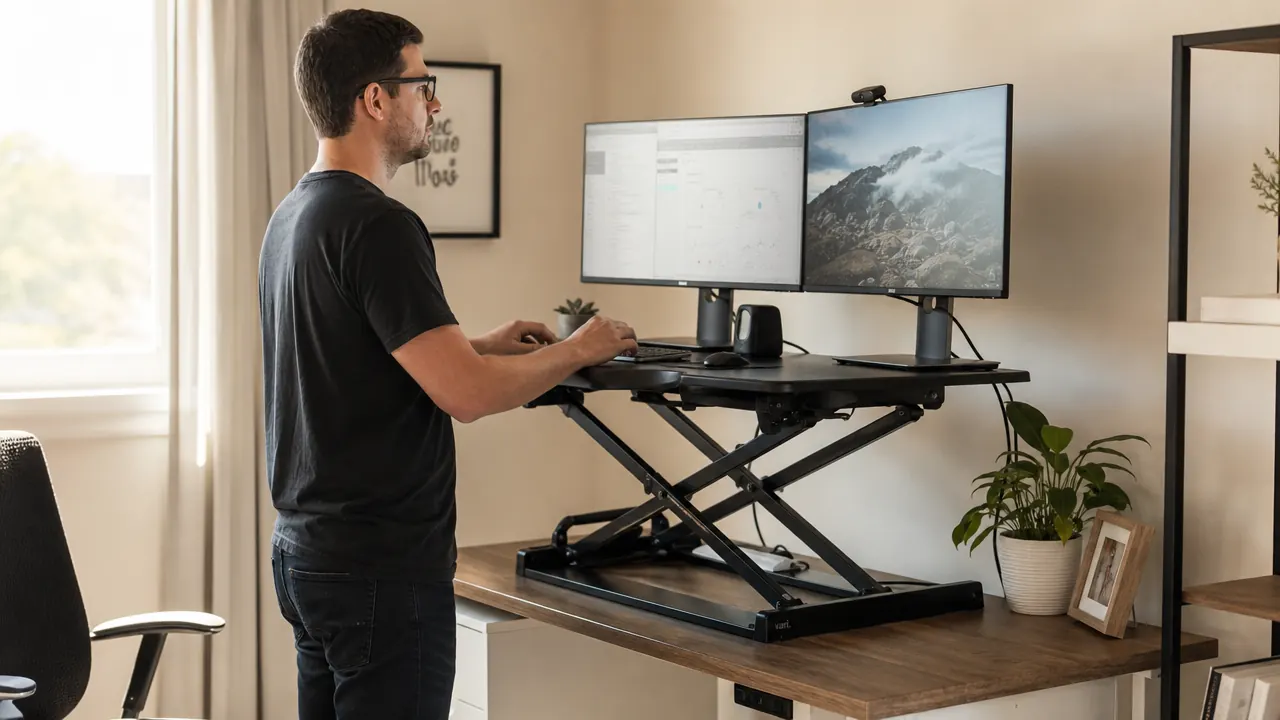
If you have spent more than twenty minutes Googling standing desk converters, you have almost certainly landed on two names: VIVO and FlexiSpot. They sit in the same price range, they both use an X-frame scissor lift, and they both have thousands of reviews. So which one actually belongs on your desk? I have had both units in my home office at different points over the past two years, and the differences between them are more meaningful than the spec sheets suggest. The right choice depends on your specific setup, but one of these converters is the better default for most people.
The short answer: the VIVO K Series is the better pick for most home office workers. It gives you a wider desktop surface, a smoother gas-spring lift, more flexibility for dual-monitor setups, and a larger community of buyers who have solved every setup question you might run into. FlexiSpot has real strengths, particularly if keyboard tray depth matters to you, but for the way the majority of remote workers actually use a converter day to day, VIVO edges it out. Here is the full breakdown.
| VIVO K Series | FlexiSpot M7 | |
|---|---|---|
| Price range | Check today's price on Amazon | Mid-range pricing |
| Desktop width | 32 inches | 28 inches |
| Lift mechanism | Gas-spring X-frame, handle-squeeze lift | Gas-spring X-frame, lever-pull lift |
| Height range | 4.7 inches to 19.7 inches above desk | 5 inches to 20 inches above desk |
| Monitor weight capacity | 33 lbs total | 22 lbs total |
| Keyboard tray | Included, 25 x 9.8 inches | Included, 27 x 11.4 inches |
| Assembly time | 15-20 minutes, minimal hardware | 20-30 minutes, more fasteners |
| Amazon reviews | 12,800+, 4.6 stars | 4,500+, 4.4 stars |
Stop losing afternoons to back pain and brain fog. The VIVO converter sets up in 20 minutes.
Over 12,800 home office workers have made the switch. The VIVO K Series is currently available on Amazon with free Prime shipping.
Amazon Check Today's Price on Amazon →Where the VIVO K Series Wins
The 32-inch desktop surface is the single biggest reason VIVO takes this comparison. If you are running a dual-monitor setup, which most people doing real work from home are, you need room for two screens plus a little breathing space between them. The VIVO K Series gives you that. The FlexiSpot M7 at 28 inches is workable for a single large monitor, but two monitors on a 28-inch platform feels crowded almost immediately. You end up nudging screens constantly to keep cables from tangling, and one stray elbow can shift everything out of alignment. On the VIVO, both monitors sit comfortably with room to spare.
The gas-spring lift is also notably smoother in daily use. You squeeze both side handles, lift to your preferred height, and release. The platform holds position cleanly without bounce or drift. I adjusted mine four or five times a day during the first few weeks while I dialed in my sitting and standing heights, and the mechanism held up without any loosening. The FlexiSpot uses a lever-pull system that works reliably but requires a slightly more deliberate two-step motion: pull the lever to release the spring, then position the platform, then release. Not a dealbreaker for occasional adjustments, but after the twentieth transition in a day, the VIVO's squeeze-and-lift simplicity starts to feel noticeably more natural.
Weight capacity is a practical concern that gets overlooked at the research stage. The VIVO handles up to 33 lbs on the monitor platform. Two standard 24-inch monitors typically run 12 to 16 lbs combined, so you have meaningful headroom for larger displays or a monitor arm bolted to the platform. The FlexiSpot M7 caps at 22 lbs, which covers most single-monitor setups but leaves thin margin if you are running heavier 27-inch or 32-inch screens. If you ever upgrade to a larger display, you will not have to reconsider your converter choice with the VIVO.
Assembly is worth mentioning because this is the first experience you have with the product, and it shapes whether the thing feels like a good purchase before you have even used it. The VIVO K Series goes together in 15 to 20 minutes with a minimal hardware bag. The keyboard tray rail attaches to the underside of the platform, the tray clips into the rail, and you are done. The instructions are clear with real diagrams. I had the whole unit assembled and sitting on my desk before my morning coffee cooled. That first impression matters.

Where FlexiSpot Wins
FlexiSpot's keyboard tray is genuinely better. At 27 by 11.4 inches, it has about two extra inches of depth compared to VIVO's 25 by 9.8-inch tray. That depth difference is real for anyone who uses a full-size keyboard with a wrist rest, or who keeps a mouse pad on the same tray surface. If you type on a mechanical keyboard with any kind of elevated back angle, or if your wrists need a gel pad during long sessions, the FlexiSpot tray gives you enough room to lay everything out without crowding. The VIVO tray fits standard keyboards fine, but add a wrist rest and things get snug quickly.
FlexiSpot also has a slightly tighter wobble tolerance at full extension. Both converters show some movement at their maximum height, which is the physics of a scissor-frame mechanism under load. But in back-to-back testing at standing height with both units fully extended, the FlexiSpot M7 platform felt marginally more planted when typing heavily. The difference is small. Neither unit is going to cost you accuracy on a spreadsheet or knock your coffee over. But if you do intensive keyboard work while standing, FlexiSpot's additional rigidity at the top of its range is a real advantage worth knowing about.
FlexiSpot also tends to have a slightly more substantial feel to the surface coating. The VIVO platform uses a matte finish that handles spills and cleaning well, but the FlexiSpot coating feels a hair more polished. This is a minor aesthetic point, not a functional one, but if you care about your workspace looking considered and deliberate, FlexiSpot's finish gives a slightly more premium impression.
The VIVO's 32-inch desktop made the difference in the first week. I stopped bumping my second monitor off the edge of the platform, and I stopped thinking about the converter at all. That is the goal.
VIVO K Series: 32 inches of workspace, smooth gas-spring lift, 12,800+ verified reviews.
The most practical standing desk converter for a dual-monitor home office setup. Check current pricing and availability on Amazon.
Amazon Check Today's Price on Amazon →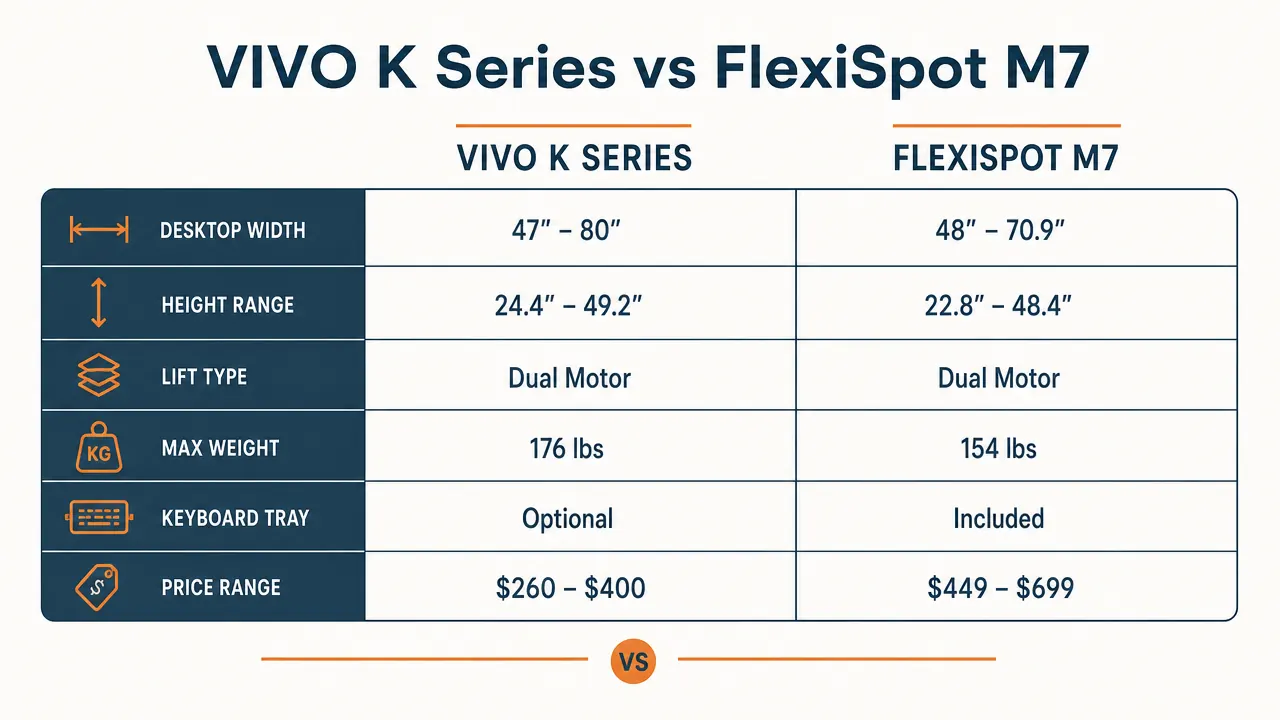
Long-Term Durability: What the Review Count Actually Signals
VIVO has been making standing desk accessories since before the work-from-home surge, and the K Series has accumulated over 12,800 Amazon reviews at 4.6 stars. That is not a number you earn in a single product cycle. It signals consistent build quality across a large and varied sample of buyers with different desk surfaces, different monitor weights, and different adjustment habits. The reviews that mention long-term ownership at two or three years consistently report that the gas spring holds its tension and the surface coating stays intact without peeling or bubbling.
FlexiSpot's M7 has a smaller but solid review base, sitting around 4,500 reviews at 4.4 stars. The slightly lower average traces mainly to a pattern of units arriving with gas-spring calibration issues, where the spring tension is set too stiff or too loose at the factory. Most buyers resolve it with a simple adjustment to the tension bolts on the mechanism, and FlexiSpot's customer service is responsive. But needing to troubleshoot a brand-new converter in the first week is a friction point the VIVO reviews mention far less frequently. When a purchase works out of the box without a support call, that is itself a form of quality.

Sitting Height, Standing Height, and Finding the Right Range for You
Both converters sit on top of your existing desk, so the total height you can reach while standing depends on how high your desk surface is to begin with. A standard desk sits at 30 inches. The VIVO raises the platform from roughly 35 inches at its lowest to about 50 inches at full extension. For a person between 5'6" and 6'1", that range covers comfortable sitting posture at the low end and a reasonable standing eye level at the top. If you are significantly shorter or taller, you will want to double-check the math before committing. Neither converter works well for someone who needs a very low sitting position, since the mechanism itself adds a few inches to the desk surface height even when collapsed.
FlexiSpot's range is nearly identical, spanning from about 35 to 55 inches total depending on base desk height. The top of FlexiSpot's range reaches slightly higher, which is useful for taller users who need a full standing height above 6'1". If you are 6'3" or taller and primarily care about comfortable standing height rather than sitting position, FlexiSpot's extended upper range is a legitimate reason to consider it over the VIVO. For everyone else, both units cover the same practical territory.
Who Should Buy Which
Buy the VIVO K Series if you are running two monitors, if you want the smoothest possible daily adjust-and-go lift experience, or if you want the weight capacity headroom for larger screens. It is also the right call if you want a unit with the deepest review base in this price tier, which means more community knowledge available when you have questions about optimal height, cable routing, or long-term maintenance. The VIVO is the converter I would hand to a friend setting up a first home office without hesitation.
Consider the FlexiSpot M7 if you type on a mechanical keyboard with a wrist rest and the keyboard tray depth genuinely matters more to you than extra monitor platform space. If you are running a single large monitor, the 28-inch desktop serves you fine and the deeper tray becomes a real comfort upgrade. FlexiSpot also makes sense if you are 6'3" or taller and want the extended upper height range for a proper standing position.
If you are still undecided, measure your keyboard plus whatever you keep closest to it on your current desk. If that total runs under 24 inches comfortably, either tray works. If it is longer, or if you use a wrist rest with any depth to it, compare the VIVO tray at 25 inches against your actual gear before deciding. For most home office workers, the extra monitor space and lift smoothness that the VIVO delivers will matter more in daily use than two extra inches of tray depth. The desk space problem shows up every single day. The tray depth problem mostly shows up when you notice it is not ideal.
One thing both converters share: they are both far more useful than the informal sit-stand habit that comes without any structural change to your setup. If you are still planning to simply stand up more without changing anything about your workstation, that plan rarely survives the first full workday. A converter changes the default. Standing becomes as frictionless as sitting. That behavioral change, more than any spec difference between VIVO and FlexiSpot, is what actually makes a difference in how you feel by 4 PM on a Tuesday.
More than 12,800 home office workers chose the VIVO K Series. The desk space and the lift make it easy to understand why.
Free Prime shipping, easy returns, and a 32-inch workspace ready to go in under 20 minutes. Check current pricing on Amazon before this listing changes.
Amazon Check Today's Price on Amazon →