
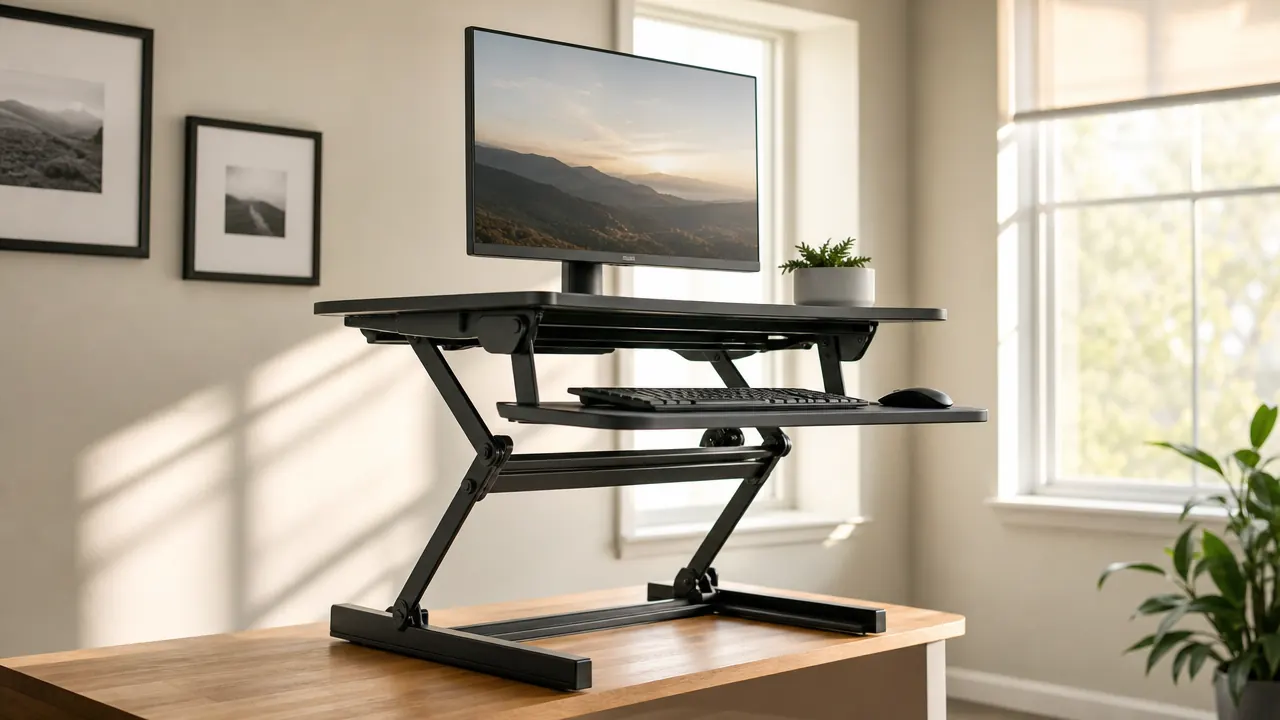
Nine months ago I was spending eight to nine hours a day sitting at my desk and my lower back had started making its complaints known around 2 PM every single afternoon. I did not want to replace a perfectly good desk. What I wanted was a converter that would let me stand for stretches without rearranging my whole setup. After reading through a lot of options in the 12,000-plus review pool, I ordered the VIVO K Series 32-inch sit-to-stand riser. It has been on my desk every workday since.
The short version: it works. The gas-spring lift is genuinely smooth, the keyboard tray is genuinely useful, and the footprint is reasonable for a 32-inch platform. But there are a few things about daily life with this converter that I wish someone had told me before I bought it, and that is what I want to walk through here.
The Quick Verdict
A well-built, stable sit-stand converter that earns its keep over months of daily use. The lift mechanism is the standout feature; the keyboard tray has one real limitation worth knowing about before you buy.
Amazon Check Today's Price →Your back is complaining. Your desk is fine. This is the fix.
The VIVO K Series converter sits on top of your existing desk and gives you a full 32-inch standing workstation in about five minutes. No new desk, no installation crew, no lost desk space when you sit back down.
Amazon Check Today's Price on Amazon →How I've Used It
My setup is a 60-inch L-shaped desk in a dedicated home office. I work from 8 AM to around 5:30 PM most days, with a mix of writing, calls, and screen-heavy research. The converter lives on the left arm of the L, which is my primary monitor-and-keyboard position. My monitor is a 27-inch LG that weighs about 8 pounds. The VIVO platform handles up to 33 pounds total, so I have headroom even with the monitor, a small Bluetooth speaker, and a second laptop I occasionally bring in from another room.
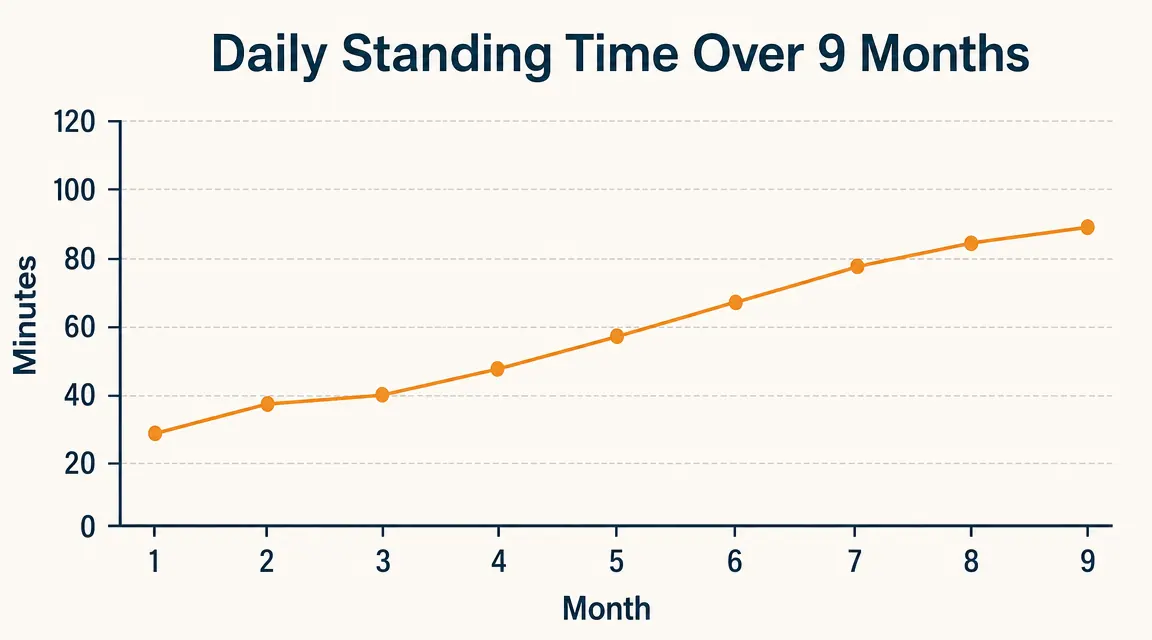
In the first two weeks I was standing for maybe 20 to 30 minutes at a stretch, once or twice a day. By month three I had settled into a rough 45-on, 45-off pattern. Now at nine months I stand for about 90 minutes across a typical workday, usually in two or three sessions. The converter makes that easy because the transition from sitting to standing takes about three seconds and requires no clearing of the desk surface. You squeeze the side levers, lift, and you are standing. That frictionlessness is the main reason I actually use it instead of just intending to.
I have raised and lowered this converter somewhere north of 400 times by now. That is a decent stress test for the lift mechanism, and I will get into what I have noticed about how it holds up.
The Gas-Spring Lift: What Makes or Breaks a Converter
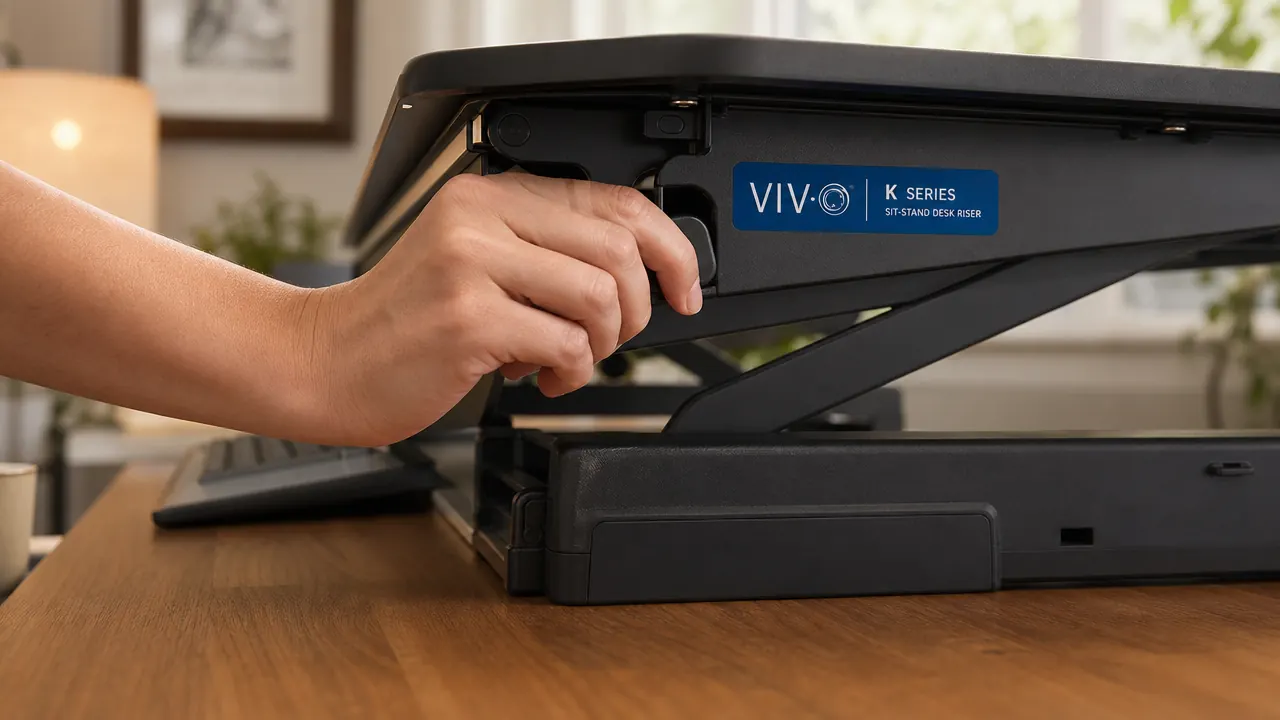
The thing that separates a good converter from an annoying one is the lift mechanism. If it fights you going up or crashes down when you release it, you stop using it. The VIVO K Series uses a gas-spring scissor-arm design. You squeeze two levers on either side of the platform simultaneously, lift to your target height, and release. The mechanism holds the position. There is no crank, no locking knob, no separate step.
Over nine months, the resistance has stayed consistent. I was half expecting the gas spring to soften and start requiring me to hold the platform against gravity to keep it from slowly drifting down. That has not happened. The platform holds position at every height in the adjustment range, which the manufacturer lists as about 15 inches of travel. I tend to use three positions: fully seated (converter at its lowest, monitor still at a usable height), a mid-height for standing with shoes off, and a slightly higher position for my standard standing posture with shoes on. Each position locks firmly with no drift.
One note on the levers: they require a firm simultaneous squeeze. If you try to lift with one hand, you get resistance from the safety mechanism that prevents accidental bumps from raising the platform. That is a feature, not a bug, but it surprised me the first day. Two hands, firm squeeze, smooth lift.
I have raised and lowered this thing over 400 times in nine months. The gas spring still holds every position clean. That kind of consistency is not a given at this price range.
The Keyboard Tray: Useful, With One Real Limitation
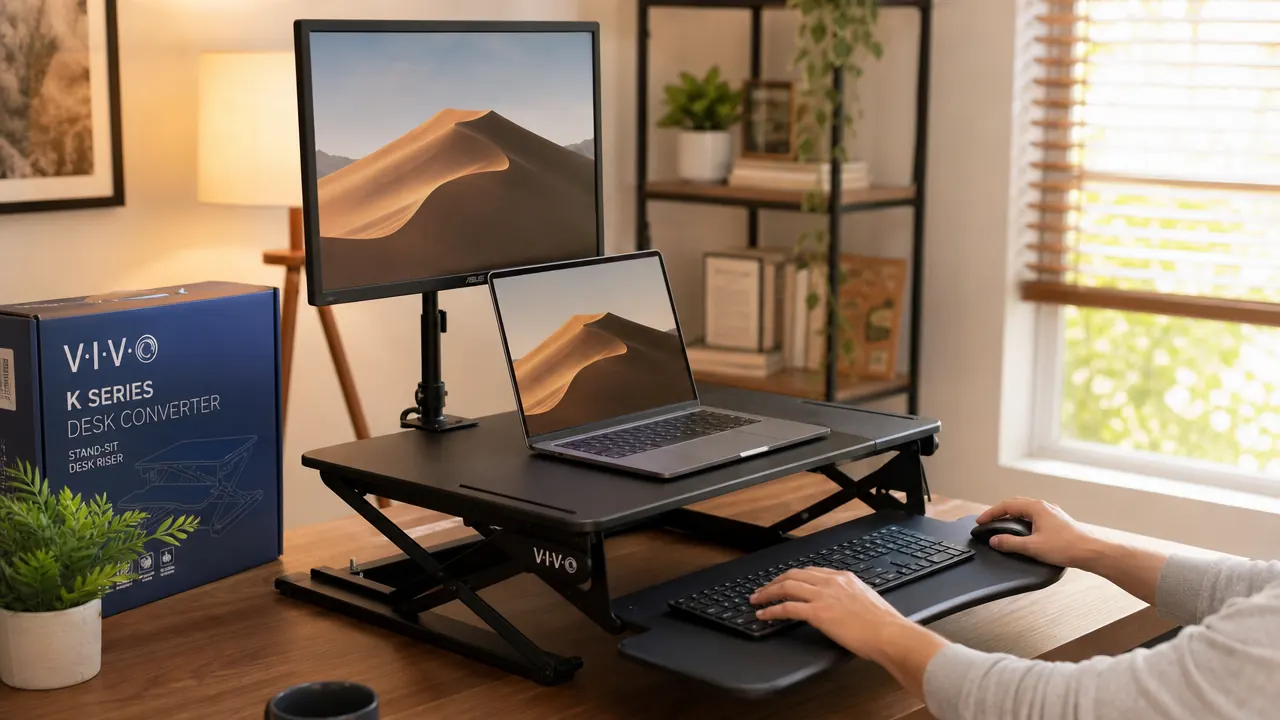
The VIVO K Series includes an integrated keyboard tray that sits about three inches below the main platform. This is important because proper ergonomics at a standing desk require your keyboard to be lower than your monitor. Without the tray, your wrists end up at monitor height, which is too high. The tray drops the keyboard to a position where your elbows can stay close to 90 degrees whether sitting or standing.
The tray is 31 inches wide. That fits a full-size keyboard with a bit of room on either side. My mouse also lives on the tray. What does not fit comfortably is a large extended keyboard pad that runs full-width plus a wide mousepad. If your current setup involves a mat that spans the full depth of your desk, plan on trimming your habits slightly. I switched to a compact keyboard early on, which helped, and now the tray feels natural.
The real limitation: the tray does not tilt. It sits at a fixed angle. Most people find this fine, but if you have wrist issues that require a negative tilt keyboard angle, this converter is not going to solve that for you. That is the one ergonomic trade-off worth naming clearly before you buy.
Desktop Footprint and Monitor Weight Capacity
The 32-inch platform occupies a 32-by-22-inch footprint on your existing desk surface when lowered. That is the honest space cost. Your desk does not disappear beneath this converter when you sit down, it just gets smaller. On my 60-inch desk this has been fine. On a 48-inch or smaller desk, you should measure before ordering. The converter itself weighs about 34 pounds, so once it is on your desk it stays put.
The rated capacity is 33 pounds for items placed on the platform. My single 27-inch monitor plus keyboard, mouse, and small speaker comes in around 12 pounds total. Plenty of margin. If you are running two monitors, check the combined weight of your specific monitors before assuming you are fine. Two large 32-inch panels can approach or exceed that limit depending on the model. VIVO does make larger-capacity versions in this same K Series lineup if you need more headroom.
The base platform has a surface that feels like a painted steel panel. It is not a premium woodgrain finish, but it is flat, stable, and easy to wipe down. After nine months it has no visible scratches from normal use. The converter is available in black and white to match common desk surfaces.
Transition Smoothness and Desk Wobble
Wobble is the other thing reviewers argue about with converters. When you are standing and typing, you do not want your monitor swaying with every keystroke. I would describe the VIVO K Series as acceptably stable rather than rock-solid. At its lowest height, sitting, there is essentially no noticeable wobble. As you raise it, there is a small amount of movement if you press the platform surface firmly sideways. Normal keyboard typing does not produce visible sway on the monitor. Aggressive typing from someone who bottoms out keys hard might produce a faint tremor at maximum height.
This is typical of scissor-arm converter geometry. The higher the platform extends, the longer the lever arm, and the more any lateral force translates to visible movement at the top. My monitor at standing height has about the same stability as it did on its original stand sitting directly on the desk. For reference, I am not a light typist. If wobble is a known sensitivity of yours, the practical answer is to keep the converter at mid-range heights rather than maxing it out, and to make sure the converter is sitting squarely on a firm desk surface.
Durability Over Nine Months of Daily Use
Nothing has broken. That is the main report. The gas spring has not weakened. The scissor joints are tight, with no creaking or lateral play that was not present on day one. The keyboard tray mount is still firm. The levers operate the same as they did out of the box. Nine months is not forever, but it is long enough to have caught any early-failure quality issues, and this converter has none.
The surface coating on the platform has held up well to daily contact with keyboard cables and a monitor stand. I did notice a faint scuff on one edge of the keyboard tray where my mouse cable runs across it repeatedly. That is cosmetic, not structural. It would bother me more if the tray were white.
VIVO is a brand that has been in the monitor mount and desk accessories space for years, and their products typically have a reputation for solid build quality at mid-range prices. My experience with this converter fits that pattern. Nothing about it feels luxurious, but everything feels purposefully made. This is a working tool, not a showpiece.
What I Liked
- Gas-spring lift mechanism is smooth and holds position at every height after 400-plus cycles
- Keyboard tray drops the typing surface to a proper ergonomic position at standing height
- 32-inch platform holds a single large monitor, laptop, and accessories comfortably within weight limits
- No installation required; sits directly on your existing desk in minutes
- Two-handed lever design prevents accidental raises and feels intuitive within a day
- Available in black and white; both finishes have held up cleanly over months of use
Where It Falls Short
- Keyboard tray does not tilt, which rules it out for users who need a negative wrist angle
- 33-pound capacity limits users running two larger monitors; check your specific panel weights first
- Footprint on the desk is real and permanent; a 48-inch or smaller desk will feel significantly reduced
- Wobble at maximum extension height is noticeable under firm lateral force, though normal typing is fine

Who This Is For
This converter is the right call if you already own a desk you like and want to add sit-stand capability without replacing it. It is particularly well-suited to single-monitor setups where the main use case is alternating between sitting and standing several times a day. It is also a good fit if you want something you can set up in ten minutes, use the same afternoon, and not think about again for years. Remote workers who are newer to standing desks tend to do well with this kind of converter because the low friction of the gas-spring lift means you will actually use it rather than leaving it parked in one position. If your back is your motivator, this converter genuinely supports a habit of more standing.
Who Should Skip It
If you are running a dual-monitor setup with two panels heavier than 15 to 16 pounds each, check the combined weight against the 33-pound limit. If you are close, step up to a higher-capacity version or a different platform. If you need a keyboard tray that tilts down toward you at a negative angle for wrist support, this tray will not solve that problem and you should look at converters with adjustable tray angles. If your desk is under 48 inches wide, the footprint will eat a significant share of your working surface. And if you are a very heavy keyboard user who is sensitive to monitor wobble, the platform at maximum height extension will have more flex than a fully motorized electric standing desk would.
For everyone else who just wants their existing desk to do one more thing, this converter does what it says and keeps doing it. Nine months in, I would buy it again.
Nine months. 400-plus transitions. Still holding position. Check what it runs today.
The VIVO K Series 32-inch sit-stand converter is one of the most reviewed options in the category for a reason. It raises and lowers in seconds, holds any height with its gas-spring mechanism, and includes a keyboard tray that most converters at this price skip. See current pricing and availability on Amazon.
Amazon Check Today's Price on Amazon →