
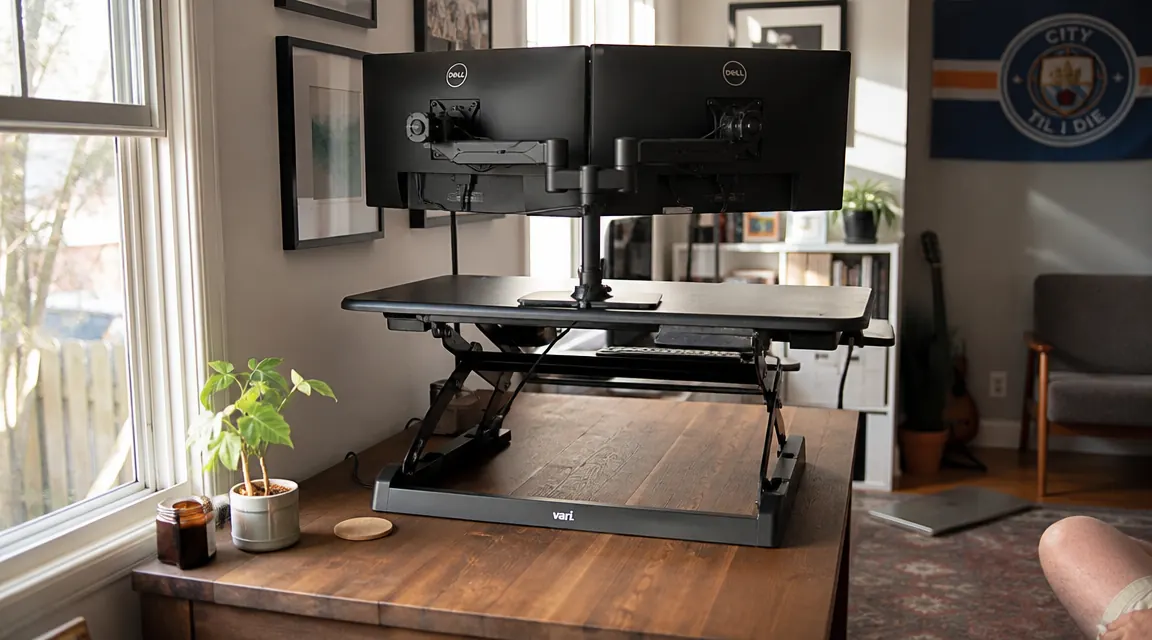
I want to tell you what the five-star reviews do not. The VIVO K Series 32-inch standing desk converter has earned its spot as one of the most purchased sit-stand risers on Amazon, and the core product is genuinely solid. But I have now used this converter daily for long workdays, I have helped two coworkers set up theirs, and I have watched one of them return it. The returns and the one-star reviews tend to cluster around four specific surprises that a little upfront honesty could have prevented. That is what this review is.
The four things nobody tells you: the desk depth math will catch you off guard if you have a smaller desk, the platform wobble at full height is real and matters depending on your typing style, the 33-pound weight limit has real implications for dual-monitor users, and the keyboard tray has a gap problem that catches people with big mouse setups. Cover all four of those honestly and you will know exactly whether this converter is right for you.
The Quick Verdict
An excellent converter for the right setup. Smooth lift, solid construction, fair price. Just know your desk depth, your monitor weight, and your mousing habits before you order.
Amazon Check Today's Price →Your back deserves a standing option. Your desk does not need to be replaced.
The VIVO K Series 32-inch sit-stand converter gives you a full height-adjustable workstation on top of your existing desk. Gas-spring lift, keyboard tray included, no tools required. Check whether it fits your desk dimensions and see current pricing on Amazon.
Amazon Check Today's Price on Amazon →How I've Used It and How I Know What I Know
My desk is a 55-inch walnut-laminate from IKEA. Not a large desk. The converter takes up 32 inches of width and 22 inches of depth when it sits on the surface. That leaves me about 20 inches of depth behind the converter footprint and 11 inches of desk on either side. Before it arrived I had not thought carefully about what 22 inches of depth would actually mean, and the first afternoon I spent rearranging what I could fit behind and around it. That adjustment period was real, and it is the adjustment I see most often in one-star feedback.
I came to this converter after trying a fixed-height riser that I hated, so my expectations were appropriately calibrated. I was not hoping for a motorized desk experience. I wanted something that would let me alternate sitting and standing without needing to clear my desk every time I changed position. On that core goal, the VIVO K Series delivers completely. The friction-free transitions are the feature I would pay for again without hesitation. Everything else I am about to describe is context, not a reason to avoid the product.
My coworker Priya, who returned hers after three weeks, did so because of a combination of the desk depth issue and the keyboard tray gap I will describe below. Her desk was a 48-inch surface that she was already using fully. After the converter arrived, she was working with about 13 inches of depth behind it, which was not enough for her two-monitor arm setup. That combination was not a product failure. It was a spec mismatch that better pre-purchase information would have caught.
Surprise One: The Desk Depth Math
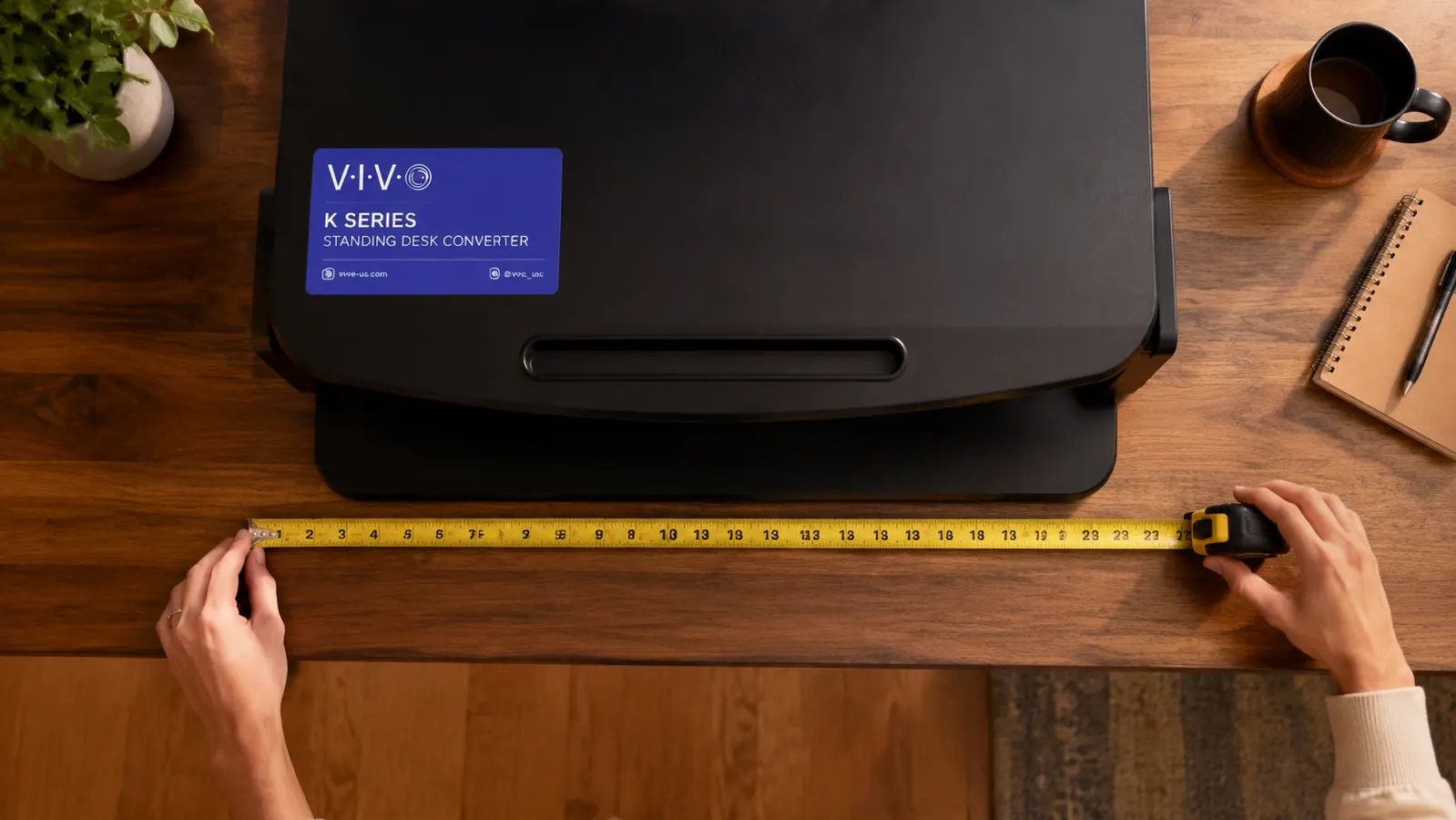
The VIVO K Series footprint when lowered is roughly 32 inches wide by 22 inches deep. Most people think about the width and ignore the depth. The 22 inches of depth is the measurement that causes problems. On a standard 24-inch-deep desk, the converter occupies most of the front portion of the surface, leaving only two inches of clearance between the back of the converter and your wall or monitor cable cluster. On a 30-inch-deep desk, you have eight inches of usable space behind it. On the common IKEA 24-inch depth, you are essentially flush.
The practical question to ask before ordering: what is currently sitting in the 22-inch front zone of my desk, and where will it go? Power strip, external drive, webcam base, notebook, coffee mug. These all have to move somewhere. If your desk is 60 inches wide or wider, the extra width gives you overflow space on the sides. If your desk is 48 inches or narrower, measure the actual usable area after you place this 32-by-22-inch footprint and decide whether what remains works for your workflow.
Surprise Two: Wobble at Full Height Is Real
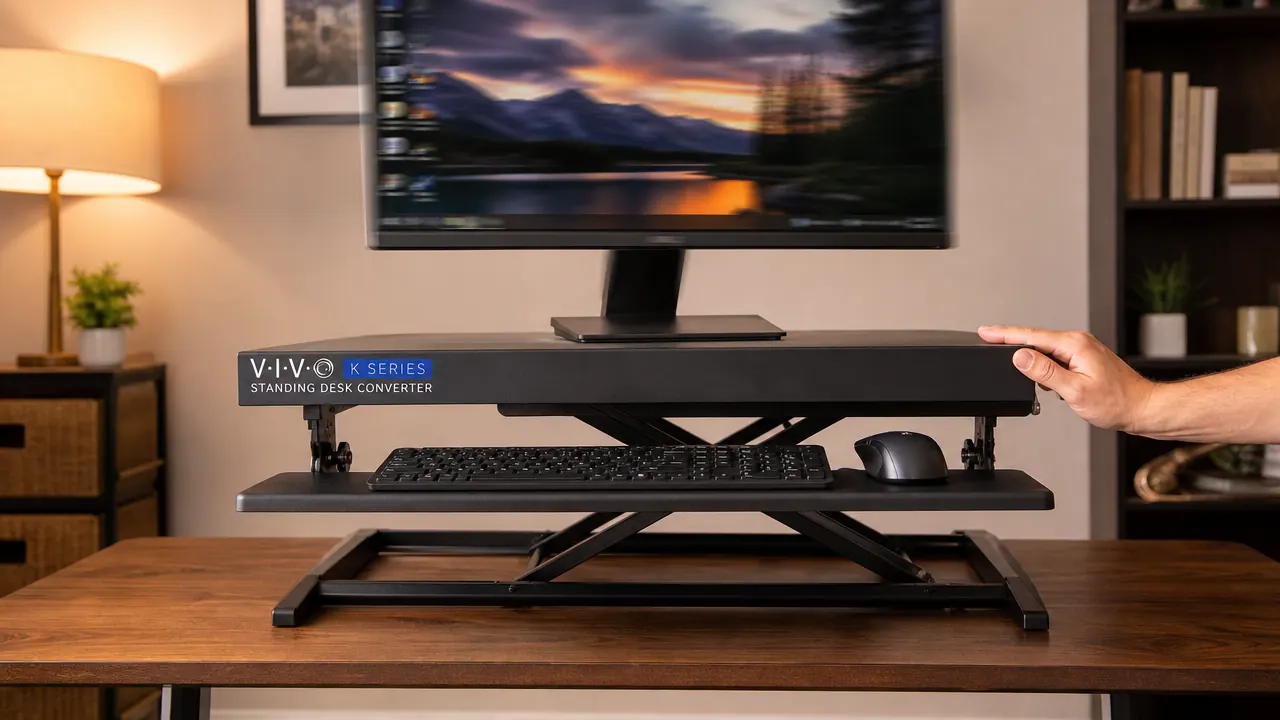
The converter is stable at low and mid heights. At its maximum extension, maybe 14 to 15 inches of lift above the desk surface, there is a lateral wobble that becomes noticeable if you push the platform sideways with any real force. Under normal typing, meaning someone who does not bottom out keys aggressively with significant lateral wrist movement, this wobble is not visible on the monitor. I type with a moderately firm touch and I do not notice monitor sway during regular work.
The person who notices this is the heavy typist. If you are someone who hammers keys and puts sideways force into keystrokes, the monitor at maximum height will sway visibly. That is a geometry reality of scissor-arm designs, not a manufacturing defect. The scissor arm creates a lever, and the longer the lever the more any lateral force at the base translates to movement at the top. One practical workaround: use the converter at about 75 percent of maximum height rather than full extension. The stability improves noticeably at mid-to-upper heights without compromising standing posture for most people under six feet tall.
Wobble at full extension is geometry, not a defect. The fix is not returning the converter. The fix is not cranking it to maximum height every time.
Surprise Three: The 33-Pound Limit Is a Real Constraint for Dual Monitor Users
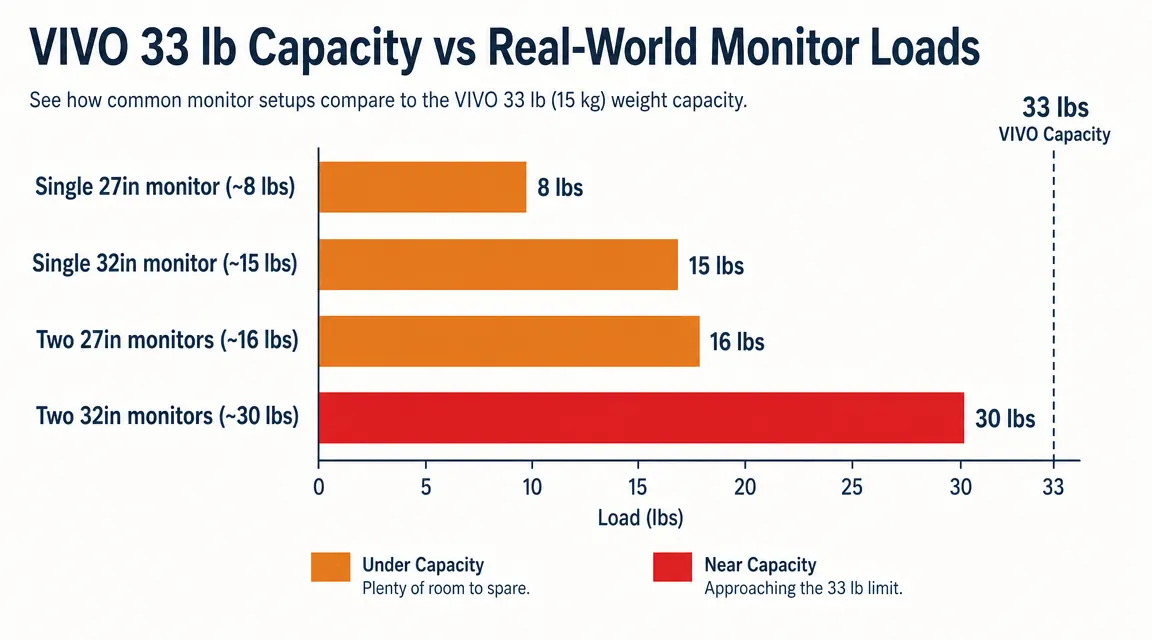
The rated weight capacity for the VIVO K Series platform is 33 pounds. For a single-monitor setup with a keyboard and mouse, you will almost certainly be fine. A typical 27-inch monitor weighs around 8 to 10 pounds. A 32-inch monitor runs 12 to 16 pounds depending on the stand. Two 27-inch monitors together come in at 16 to 20 pounds, which leaves plenty of margin. Two 32-inch monitors, though, can approach or exceed the 33-pound limit depending on the specific models.
The concern is not that the platform collapses above 33 pounds. The concern is that overloading a gas-spring mechanism accelerates its wear and can cause the spring to weaken or fail over time. If you are running a dual-monitor setup, look up the actual weight spec for your specific panels before assuming you are within bounds. The weight is usually listed under Physical Specs on the manufacturer product page. If you are close to the limit or over it, VIVO makes higher-capacity versions in this same converter family, and spending a little more for the right capacity is worth it.
For laptop-plus-external-monitor setups, you are almost always well within the 33-pound range. A laptop typically weighs five to seven pounds and a single external monitor adds another eight to twelve. That combination works cleanly. The limit mainly matters for people who want to use two full external displays.
Surprise Four: The Keyboard Tray Gap
The integrated keyboard tray is 31 inches wide and sits about three inches below the main platform. It solves the most important ergonomic problem with converters, which is that your wrists end up at monitor height without a lower typing surface. Having the tray included in this price range is genuinely good value.
Here is the gap: the tray does not have space for a full-size extended mousepad. If your current setup uses a large desk mat that runs your keyboard and mouse across a single wide surface, that mat does not fit on the tray. You will either need to mouse directly on the tray surface (which is adequate but not soft), keep your mouse on the main desk surface above the tray (awkward angle), or switch to a compact keyboard-and-mouse arrangement where everything fits in 31 inches of width. I switched to a tenkeyless keyboard and a smaller mouse pad within the first week, and the tray has been completely comfortable since then. But the transition is a real adjustment if you have been using a large gaming-style desk mat.
The second tray issue: it does not tilt. The tray angle is fixed. Most users find this perfectly workable for standard typing. If you have an existing wrist condition that requires a negative tilt angle, where the keyboard tilts down away from you, this converter will not accommodate that need and you should look at models with adjustable tray tilt before committing.
What It Actually Gets Right
Having spent this much time on the surprises, I want to be equally specific about what works. The gas-spring lift mechanism is the core feature that earns this product its place in the top tier of its category. Squeeze the side levers simultaneously, lift to your target height, release. The platform stays put. The resistance is consistent throughout the adjustment range. Transitioning from seated to standing takes under five seconds and requires no clearing of the main desk surface. That frictionlessness is what determines whether you actually develop a standing habit or whether the converter becomes an expensive prop.
The construction quality is solid for the price. The scissor arm joints are tight. The platform surface is a painted steel panel that feels intentionally utilitarian rather than premium, and it holds up to daily use without developing play or noise. The converter arrives mostly assembled, and setup takes about ten minutes including pulling it out of the box and positioning it on your desk. No tools required.
VIVO has been making monitor mounts and desk accessories for a long time. The K Series feels like a product that has been refined over multiple iterations rather than a first-generation knockoff. At its price point, the included keyboard tray, the gas-spring mechanism, and the build quality together represent genuinely good value. The trade-offs I described above are not reasons to avoid this converter. They are reasons to make sure your setup and habits are compatible before you order.
What I Liked
- Gas-spring lift is fast, smooth, and stays at any height in the range without drift or creaking
- Keyboard tray is included at this price, which most comparable converters skip or charge extra for
- Arrives nearly fully assembled and installs on any desk surface in minutes with no tools
- Solid construction that holds up to hundreds of use cycles without developing play in the scissor joints
- Available in black and white to match common desk surfaces
- 33-pound capacity comfortably handles single-monitor setups with a full keyboard-and-mouse arrangement
Where It Falls Short
- 22-inch depth footprint is a surprise for people with 48-inch or smaller desks. Measure before ordering
- Keyboard tray does not tilt, ruling it out for users who need a negative wrist angle for ergonomic reasons
- Keyboard tray is too narrow for a full extended desk mat, requiring a compact mousing setup
- Wobble at maximum extension height is noticeable for heavy typists. Better at 75 percent height
- 33-pound weight limit requires checking actual monitor weights for dual-display setups

Who This Is For
This converter is a strong match for remote workers with a desk 55 inches or wider who run a single-monitor or laptop-plus-external-monitor setup and want to start alternating sitting and standing without replacing their desk. It is particularly well-suited to people who want a low-friction transition, meaning the converter should be easy enough to operate that you actually use it every day rather than leaving it in one position and forgetting you bought it. If you type at a moderate pace, use a tenkeyless or compact keyboard, and have a desk with meaningful depth behind where the converter will sit, this product will do exactly what you need for years without requiring attention.
Who Should Skip It
Skip this converter if your desk is under 48 inches wide or shallower than 28 inches front-to-back, because the footprint will genuinely constrain your working surface in ways that get frustrating daily. Skip it if you use two monitors heavier than 15 pounds each, because you will be close to or over the weight limit. Skip it if your mousing habit requires a large extended pad spanning the full keyboard width, because the tray cannot accommodate that without adjustment. Skip it if you have a wrist condition requiring negative keyboard tilt. And skip it if you are a very forceful typist who will be using the converter exclusively at maximum extension height, because the wobble at the top of the range is more than some people can live with. For everyone whose setup clears those filters, this is a well-built tool at a fair price that delivers on its core promise.
Know your desk depth, know your monitor weights, then decide. This converter earns its reviews.
The VIVO K Series 32-inch sit-stand converter has more than 12,000 reviews because the core product works. Gas-spring lift, keyboard tray included, no installation, solid build. See current pricing and make sure the dimensions work for your desk before checking out.
Amazon Check Today's Price on Amazon →